Plan it, shoot it with N.I.N.A.,
keep the frames that matter, and stack them.

Plan the framing, mosaic and exposure plans for every rig. Shoot with N.I.N.A.: activation writes Target Scheduler projects. The PSF Guard Sync plugin sends plans and reviewed grades to the rig and uploads capture records and image files to PSF Guard. Grade every frame from its pixels and reject the clouded, blocked, soft and off-target ones. Stack and export: calibrated stacks, color previews, WBPP runs and AstroBin exports.

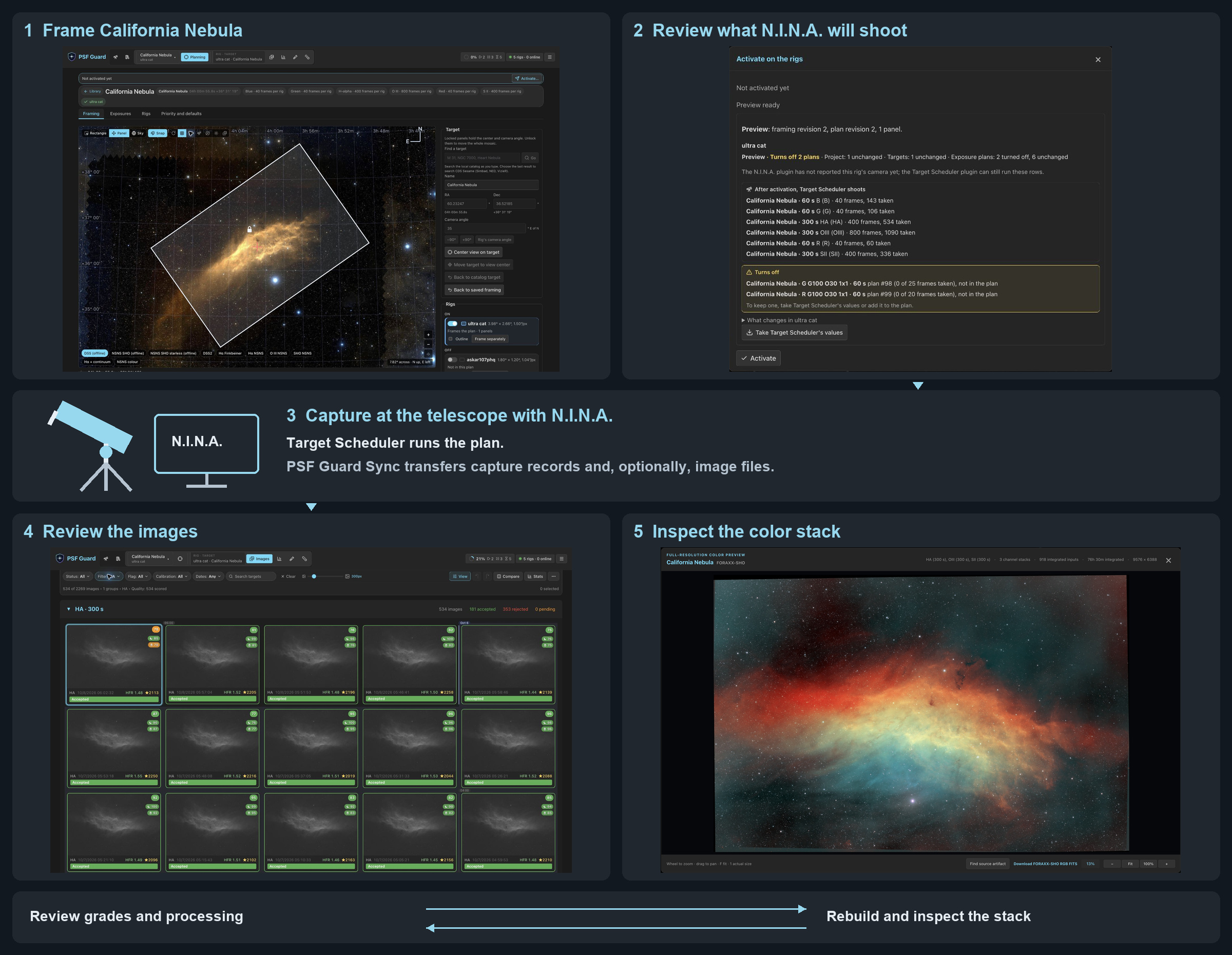
California Nebula workflow: frame and preview the plan, capture at the telescope with N.I.N.A., then repeat image review and stacking
Plan California Nebula, capture with N.I.N.A., then review and rebuild the stack. Repeat as you refine grades and processing.
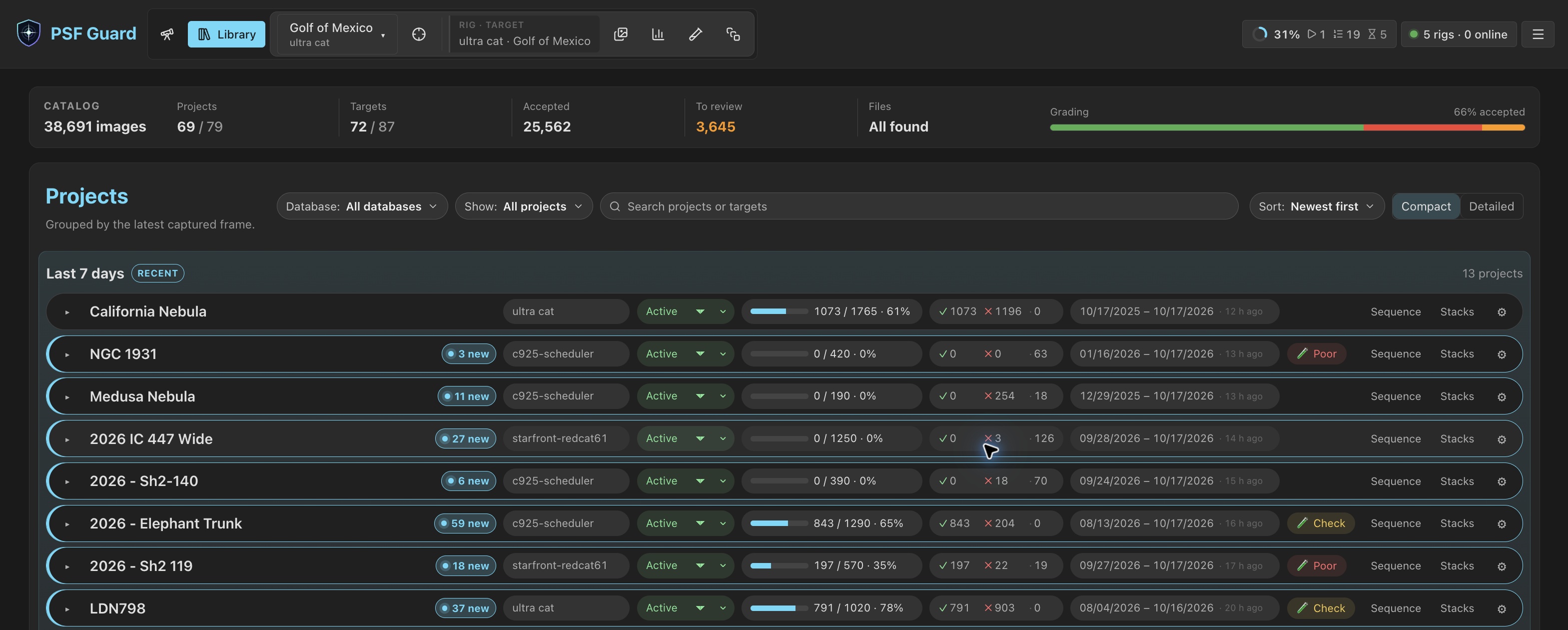
Like Lightroom Classic, for astrophotography data. PSF Guard catalogs files where they are. Import your image folders, or use the PSF Guard Sync plugin to receive captures from N.I.N.A. Target Scheduler is optional.

More from us

πŸ’¬ Chatstronomy Watches your N.I.N.A. rigs and posts captures, autofocus results and status to Discord or Matrix. 🧭 Seiza Plate solving in your browser, and desktop apps for FITS. The engine behind PSF Guard's solves and stacks. 🎨 FITS & XISF for Photoshop File-format plugins that open FITS and XISF files straight in Photoshop. πŸ“· AutoPierCam A Windows tray app that keeps a still view of the rig from a ZWO ASI camera, day and night, with a pier-camera panel in N.I.N.A. πŸ› οΈ PulsarFab Open astronomy hardware and the Regain equipment drivers.

Star count and HFR miss bad frames. In one test session a tree line crept into the field: star counts stayed within normal spread, and HFR held flat until 60% of the frame was blocked. A thin veil cut star brightness by 37% and still passed. PSF Guard checks each frame's local, photometric and temporal statistics, tuned on real sessions, and says what it found.

What PSF Guard does

πŸ—ƒοΈ

Catalog in place

Build a catalog from FITS or XISF folders and check for new frames on a schedule. Imported files stay in their folders.

πŸ–ΌοΈ

Fast grading

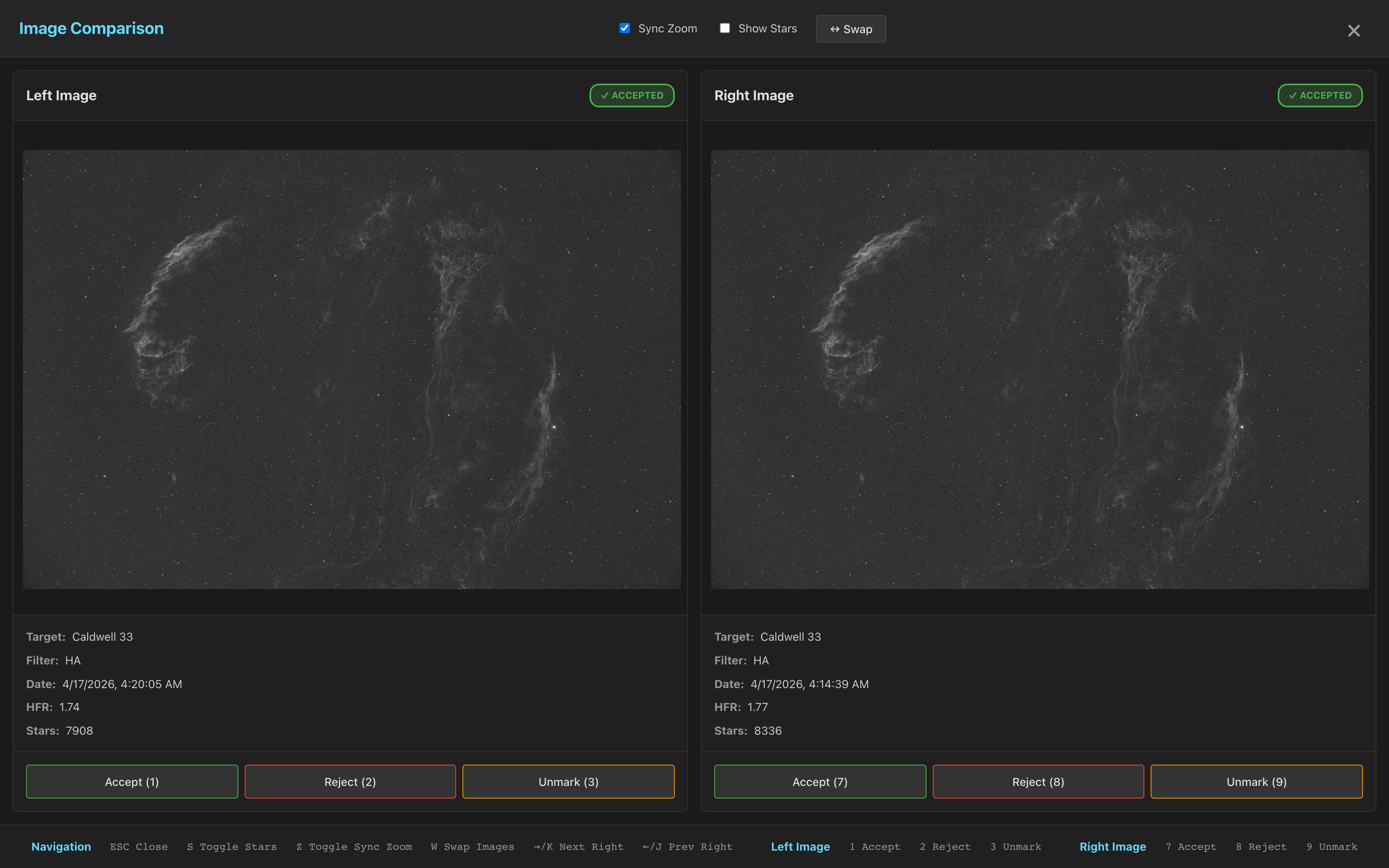
The same UI in the desktop app or a browser: stretched previews, linked comparison, batch selection, keyboard grading, and undo.

☁️

Quality screening

Spatial, photometric and SNR evidence, fresh plate solves and HFR against the target's best night flag clouds, obstructions, soft stars, rotator slips and lost pointing, with the reason on every card.

πŸ”¬

Stacks

Stack each channel with noise weighting and local normalization, calibrated by the library's own masters, then compose LRGB or narrowband color. New frames restack only what changed, and the library lists lights it cannot calibrate.

πŸ§ͺ

WBPP on the server

Run PixInsight's WeightedBatchPreprocessing from Stacks, headless, with each night's flats and darks matched. Its masters come back as stacks.

🧫

Calibration you can check

Every bias, dark and flat is graded. Flats are grouped by what they measure, dust and vignetting are drawn, and each light says which flats it takes and why. Projects the library serves poorly are flagged.

🎯

Planning across rigs

Frame a target or mosaic on survey images, set goals per filter, check tonight's visibility from each rig, and write the plan into every rig's Target Scheduler database.

πŸ—ΊοΈ

Sky coverage & Live

Every field from every rig on one sky, with your stacks in place and a timeline of every night. Rigs on the Director plugin, an early beta, show where they point.

🌌

Plate solving

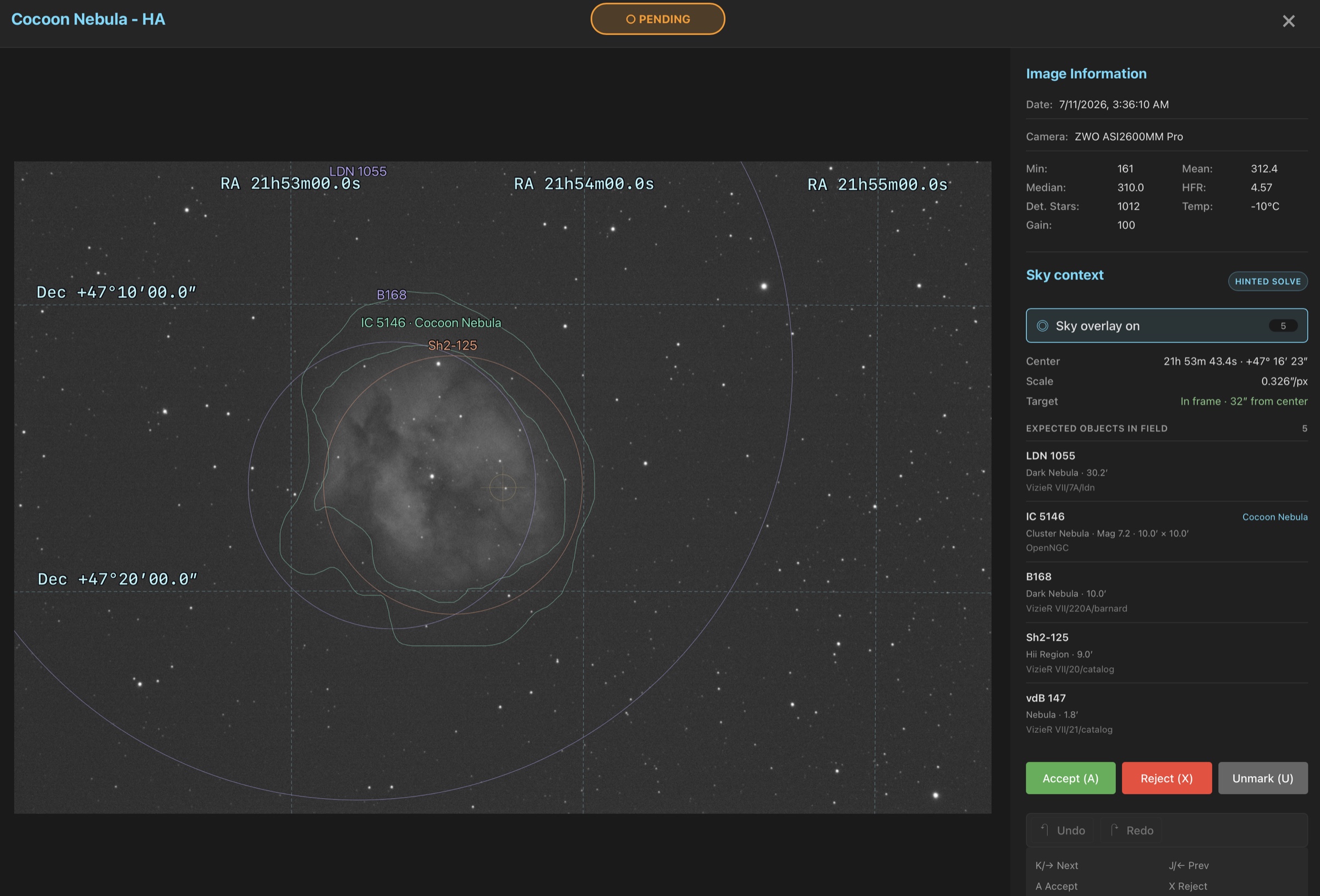
Seiza solves frames on demand and overlays catalog objects, an RA/Dec grid and the target offset. Satellite trails are checked against predictions.

πŸ“€

Export

Export accepted lights with matched calibration, laid out for WBPP or by target, and write AstroBin's acquisition CSV.

πŸ”

Sync & remote rigs

Connect N.I.N.A. through the PSF Guard Sync plugin, the recommended setup with Target Scheduler. Sync capture records, plans and grades, and optionally upload image files.

🀝

Collaboration

An early beta: join AstroCollab projects such as Starfront, pull tonight's work into a rig, and report frames that pass review.

πŸ€–

MCP for agents

Connect Claude Code or Codex from Settings. An agent reads grades, stacks, calibration and plans, and changes them as you would, with your permissions.

πŸ’Ύ

Backups

Back up the settings and every catalog into one archive, now or on a schedule, while N.I.N.A. keeps writing. psf-guard backup does the same from cron or a timer.

See why a frame failed

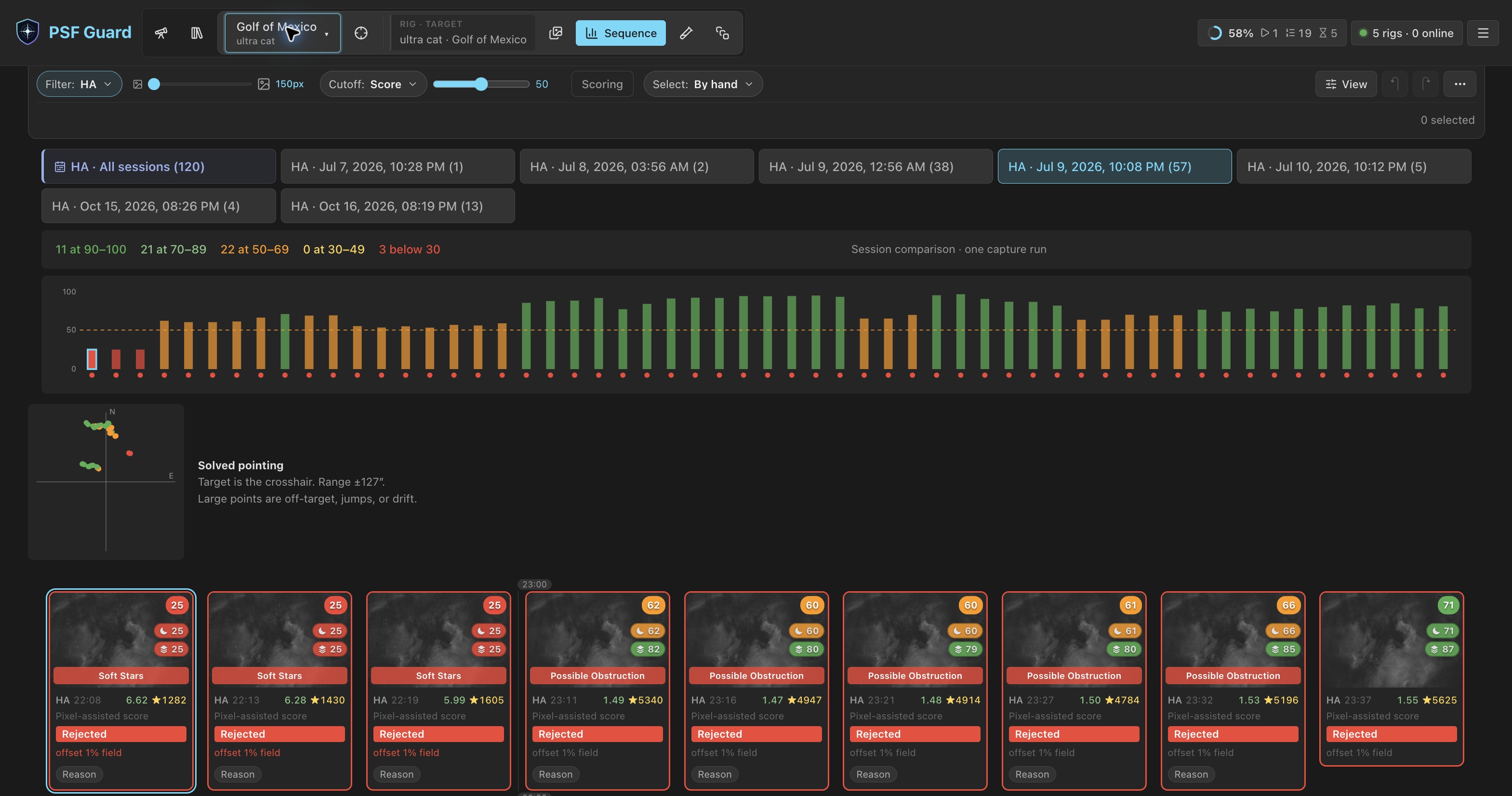
Sequence scores a whole session at once and gives the cause of each low score. Annotated diagnostics mark the cells where a frame broke its own baseline.

Compare one capture session. These stored grades are Rejected; the scores still show the differences between frames.
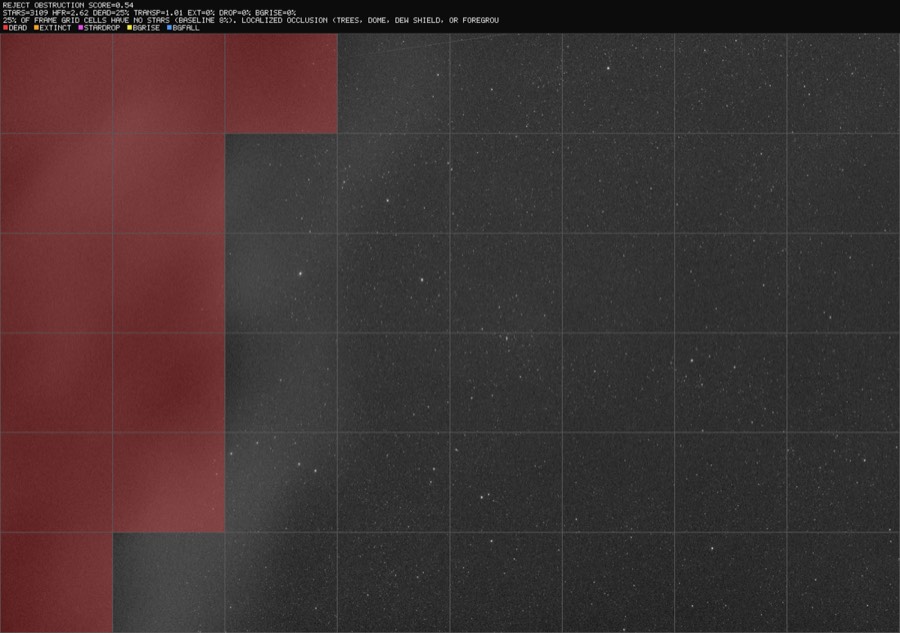
Annotated diagnostic: red cells trace a tree line moving into the field
A tree line moving in. The open sky still reads 1.01 transparency, so global metrics miss it.
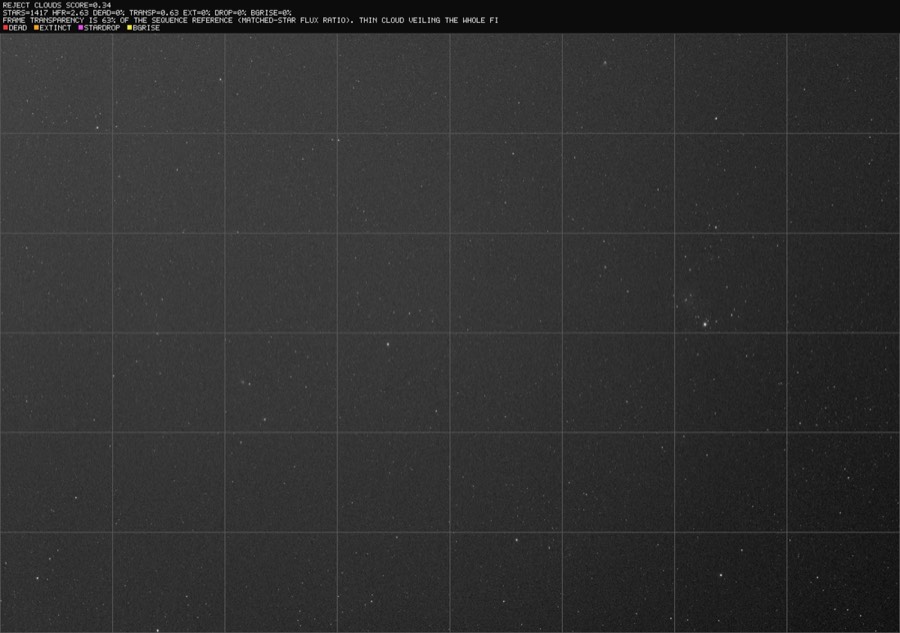
Annotated diagnostic of a thin cloud veil found by photometry
A thin veil. Matched-star photometry reads 0.63 transparency, about half a magnitude lost.

How screening works β†’

Stack and process without leaving the grader

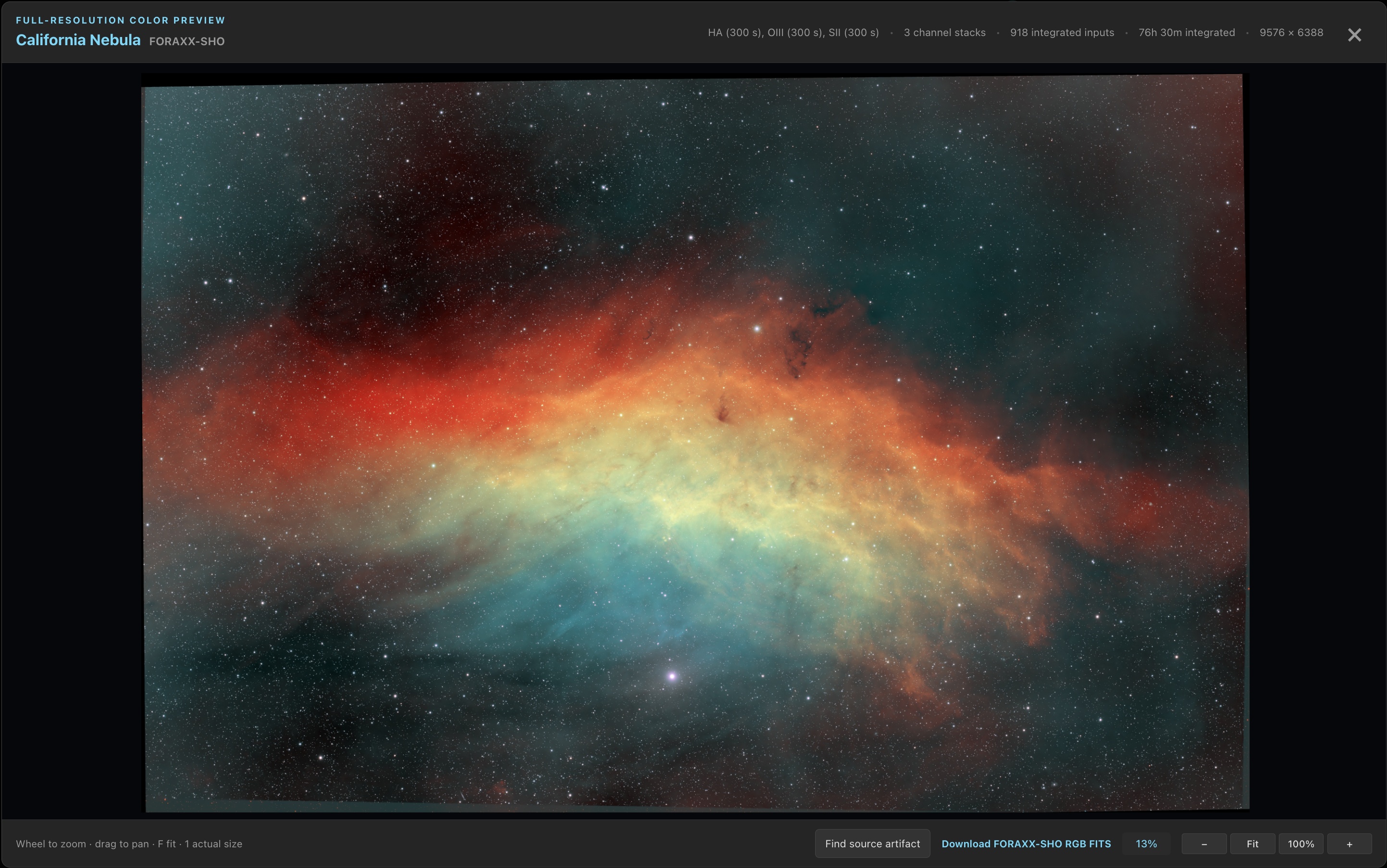
Stacks sits beside Images and Sequence. Each channel stacks from the frames you accepted, with calibration from the library and a signal-to-noise curve that says whether more frames still pay. Combine channels in color, or hand the project to WBPP on the server.

Foraxx SHO color preview of the California Nebula from 918 inputs and 76 hours 30 minutes of integration
Foraxx SHO of the California Nebula: 918 inputs, 76 hours 30 minutes of H-alpha, OIII and SII. Change the palette without restacking.

Stacks β†’ WBPP runs β†’ Export β†’

See the calibration each light gets

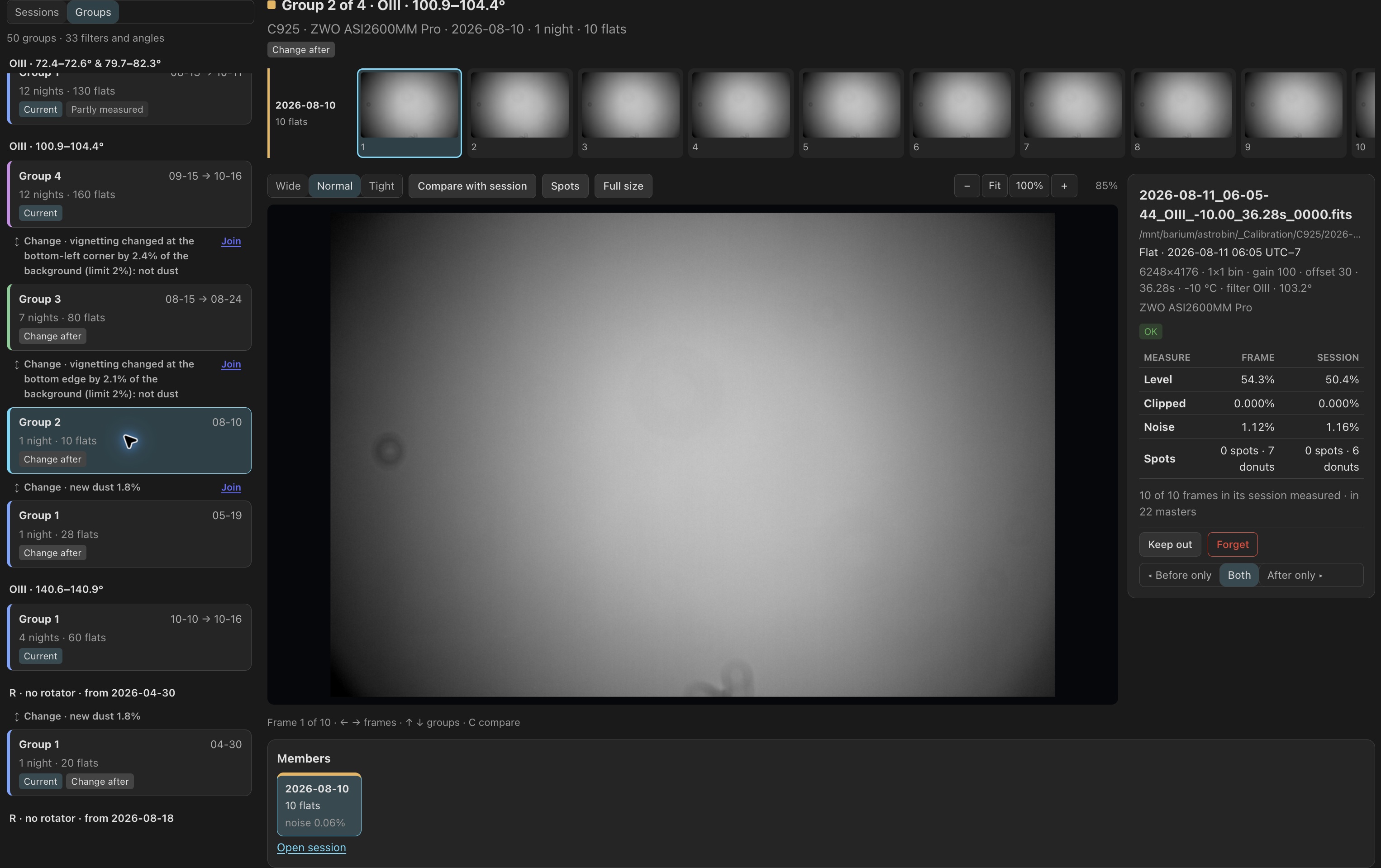
The Calibration page shows a rig's bias, darks and flats night by night, each graded against the frames like it. Flats are grouped by what they measure, so new dust or a moved camera starts a new group, and each light takes flats from its own side of the change. Keep a frame out, use it anyway, or split a group by hand.

Measured changes in dust or illumination separate these O III flat groups.

Calibration Libraries β†’

Plan the next nights across every rig

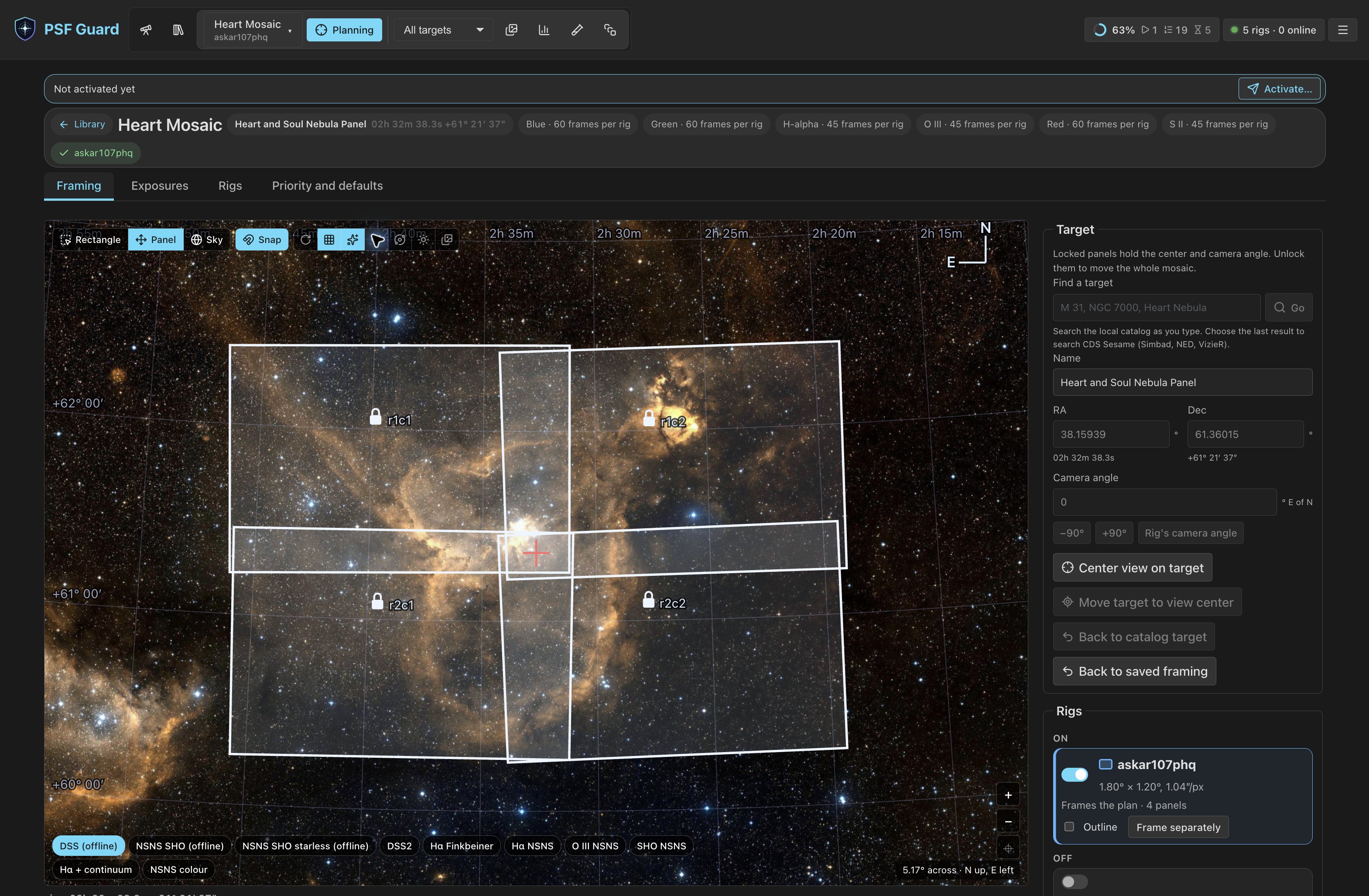
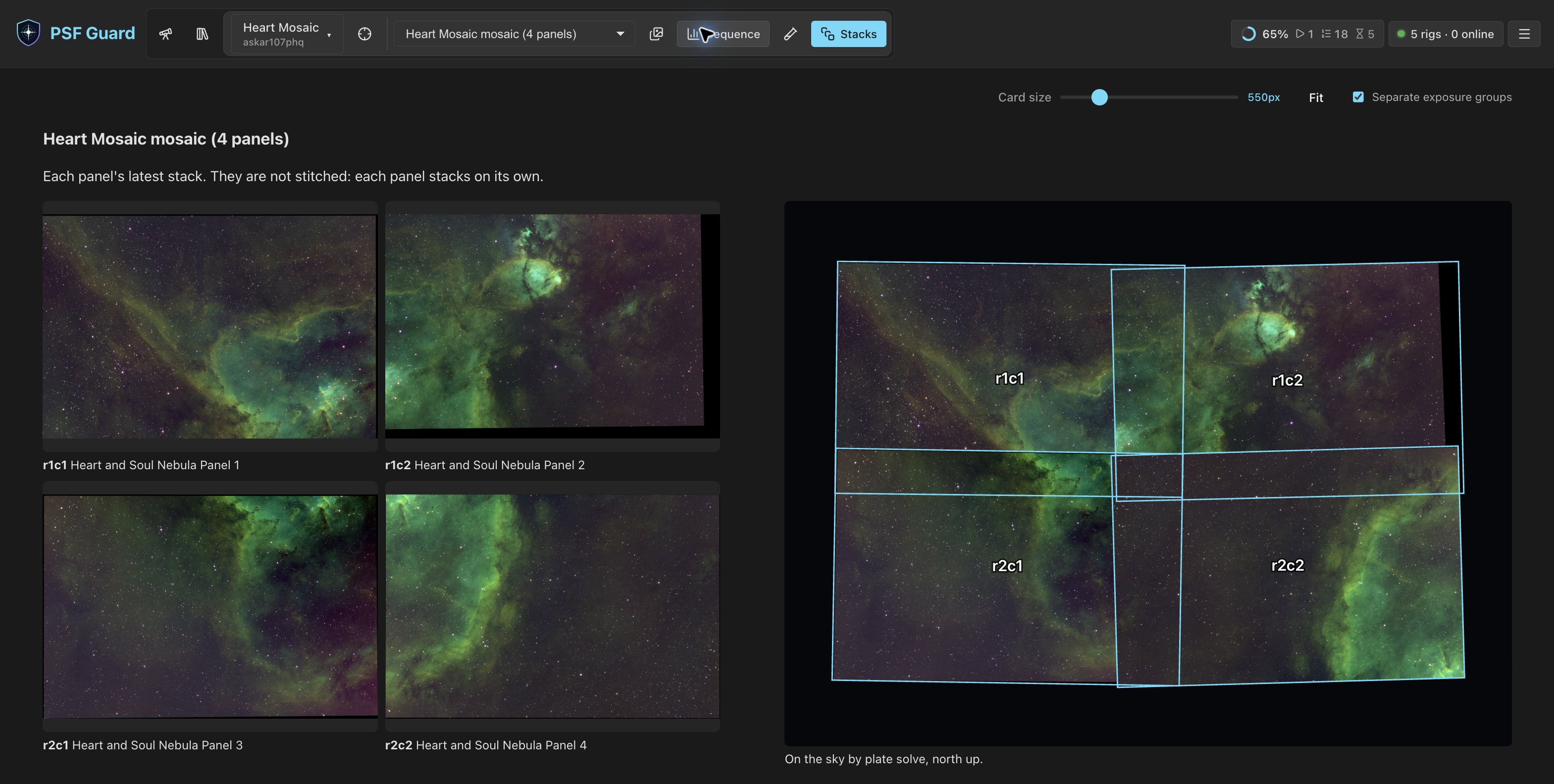
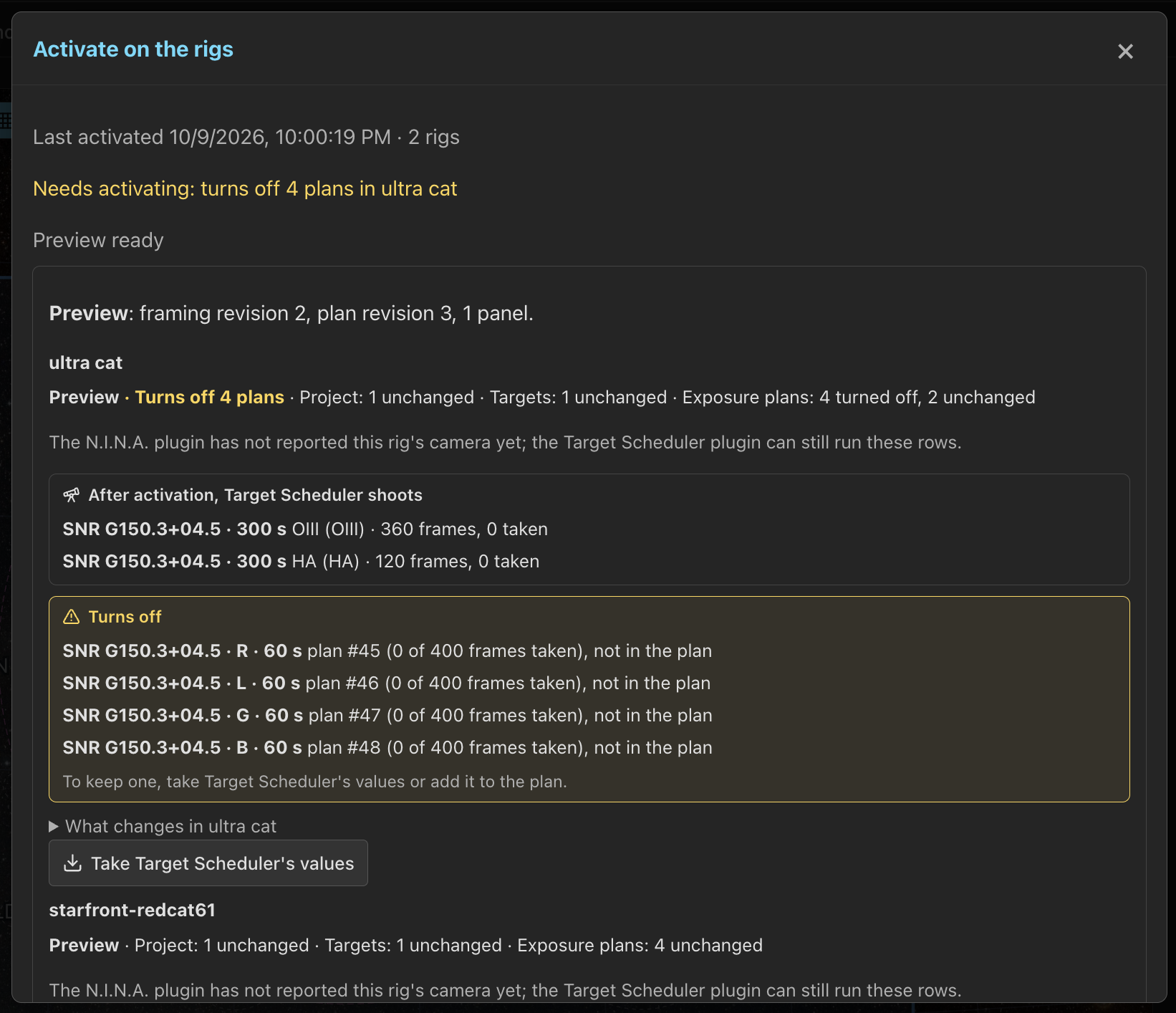
Every database is a rig and every project a plan. Frame a target or mosaic the way N.I.N.A.'s framing assistant does, on online surveys or offline sky maps; give each rig its panels and goals; see tonight's visibility from each site; then activate to write Target Scheduler projects, targets and exposure plans, with a preview of every row.

Frame Heart Mosaic over the survey image. Its four captured panels remain locked.

Planning β†’

Early beta: Director and collaboration

The upcoming N.I.N.A. Director plugin connects activated plans with live rig status and capture reports. Direct acquisition is still upcoming. Use Target Scheduler with PSF Guard Sync for imaging today. Collaboration is also in early beta, with shared assignments and contribution uploads for services such as Starfront.

Everything you have imaged, on one sky

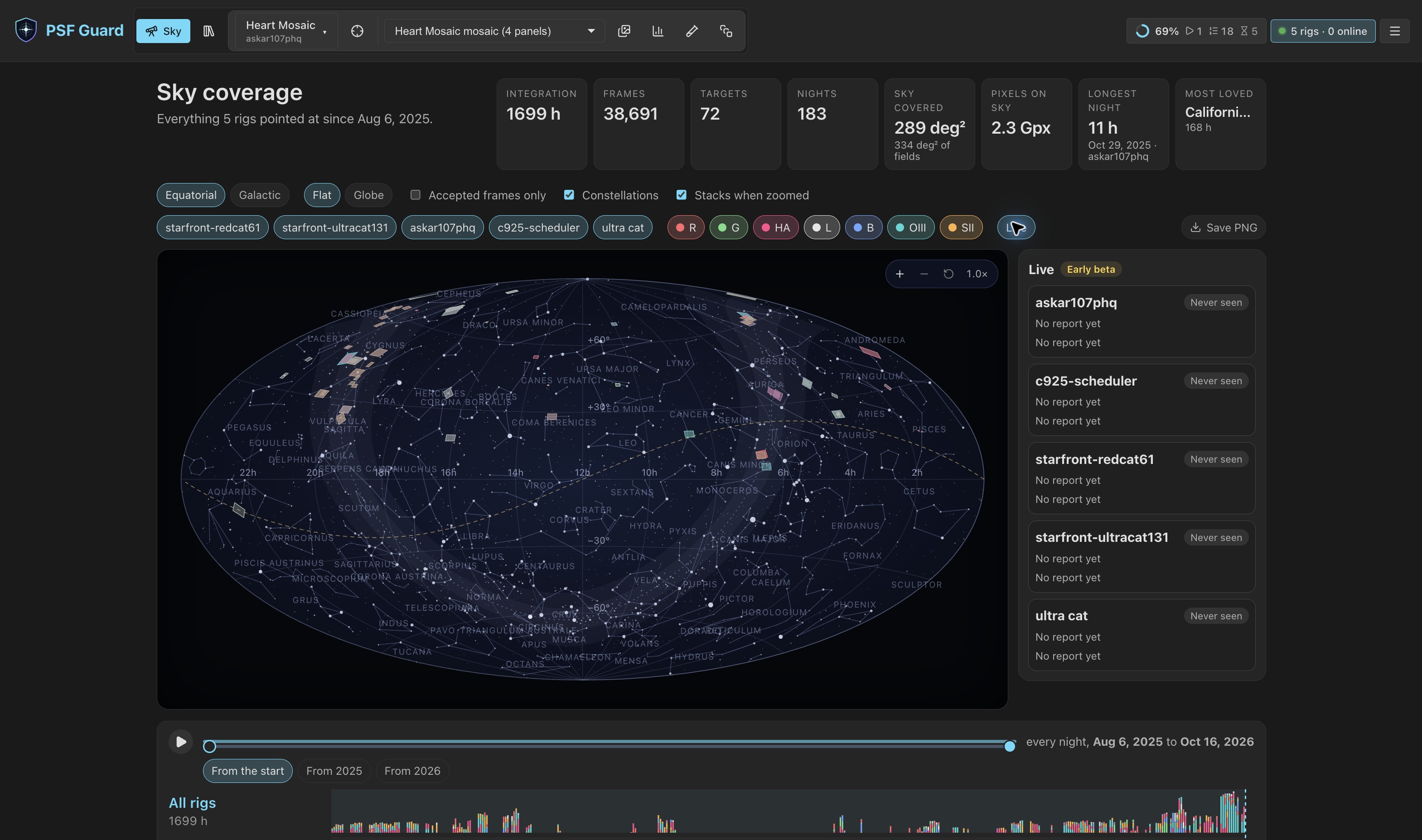
The Sky view maps every target from every database, equatorial or galactic, flat or as a globe. Zoom in to see each target's latest stack placed by its plate solve. A timeline replays every night per rig, and Live shows where each rig on the Director plugin points now.

Live lists the rigs and their latest reports. These five rigs have not reported yet.

Sky Coverage β†’

Know where every frame landed

Headers give context at once. Solve field, or O, runs a hinted Seiza solve, falls back to a local blind index when one is installed, caches the result, and draws the overlay.

The solved frame places catalog objects over the image and lists the expected objects in its field.

Catalogs and plate solving β†’

A quick tour

Install

A desktop app, a Docker image, standalone binaries and a Fedora RPM.

πŸ–₯️ Desktop app

Installers for Windows, macOS (Apple Silicon) and Linux (.deb or AppImage).

Download the latest release β†’

🐳 Docker

For a NAS or home server. Keep /data on a volume; the catalog must be writable.

docker run -d -p 3000:3000 \
  -v psf-guard-data:/data \
  -v /path/to/catalog.sqlite:/data/database.sqlite \
  -v /path/to/images:/images:ro \
  ghcr.io/theatrus/psf-guard:latest

⌨️ Standalone CLI

Serve the UI, screen a night of frames, or script imports and exports.

psf-guard screen-fits ./LIGHT --annotate ./diag
psf-guard server catalog.sqlite ./images

Downloads & platform notes β†’

πŸ“¦ Fedora RPM

Includes a systemd unit to run the server as a service.

sudo dnf install ./psf-guard-*.x86_64.rpm
Back up your catalogs and settings before an upgrade. Use Backups in Settings or psf-guard backup, and keep a copy on another disk.

More projects from theatr.us