Rigs, Sites & Live
Every registered database is a rig. Give each rig its optics, site and limits, give sites a horizon, and watch rigs that run the Director plugin on the Sky.
The rig list
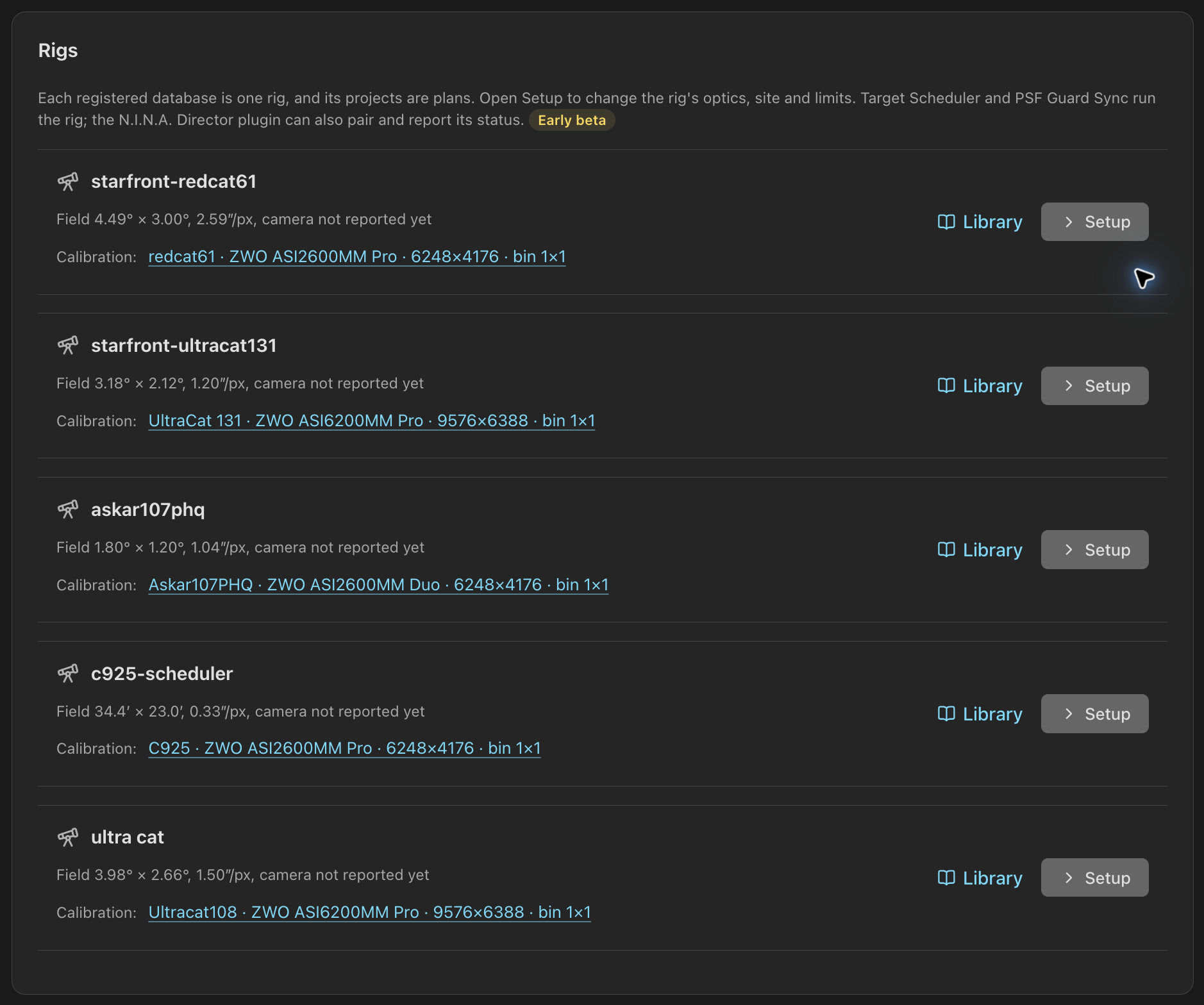
Settings › Rigs lists every registered database as a rig: its field of view and pixel scale, whether the N.I.N.A. plugin has reported its camera, the peer its plans push to, and the plugin's last status. A new database becomes a rig once the Library opens. Setup opens the rig's setup in place; Library opens its catalog.
Under Calibration:, each row lists the calibration rigs its catalog records, with how many values each sets for itself. A calibration rig is a telescope, camera, frame size and binning, as the calibration library records it. Each name opens that rig's settings under Settings › Calibration, and the note above Calibration's rig list links back here.
Rig setup
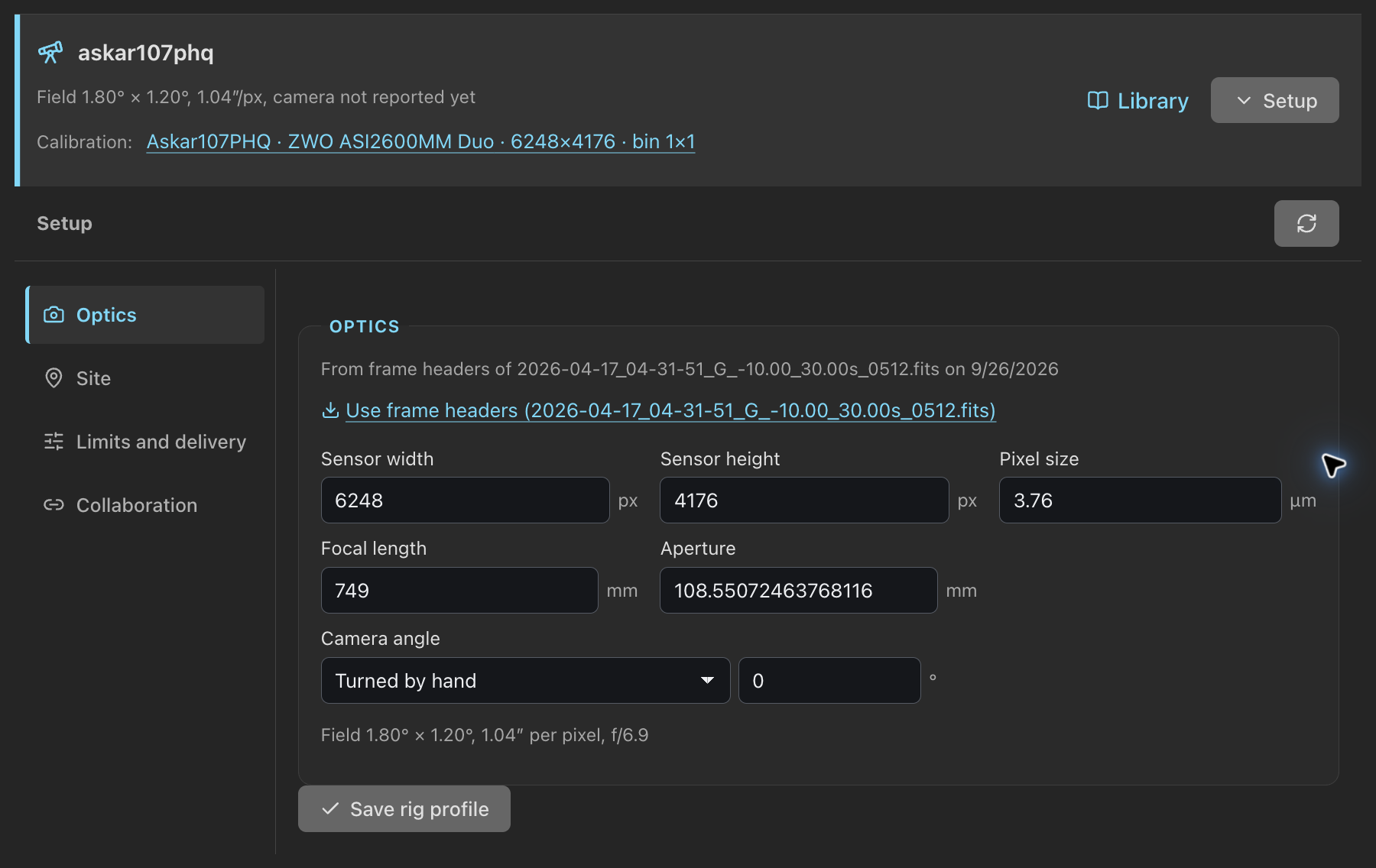
The selected rig's header stays above its setup. Sections sit in a rail on the left on a desktop and in a strip on a narrow screen: Optics, Site, Limits and delivery and Collaboration. Edits stay in the form while you switch sections, and while the setup is folded; Save rig profile saves them, and Unsaved changes beside it says when there is something to save.
Settings asks before Done, × or a click outside closes it over edits a form has not saved: Keep editing or Close without saving. The browser asks before a reload drops them.
Optics
Optics hold the unbinned sensor size in pixels, pixel size in micrometres, effective focal length and aperture in millimetres, and how the camera angle changes: a rotator, turned by hand between sessions, or fixed. The field of view and pixel scale update as you type.
Use frame headers copies sensor size, pixel size, focal length, aperture and site from the newest frame the server can find, and says which file. Headers from N.I.N.A. record binned values; PSF Guard folds them back to the sensor. Each section shows the source of its values: frame headers, set by hand, or reported by the plugin.
Sites and horizons
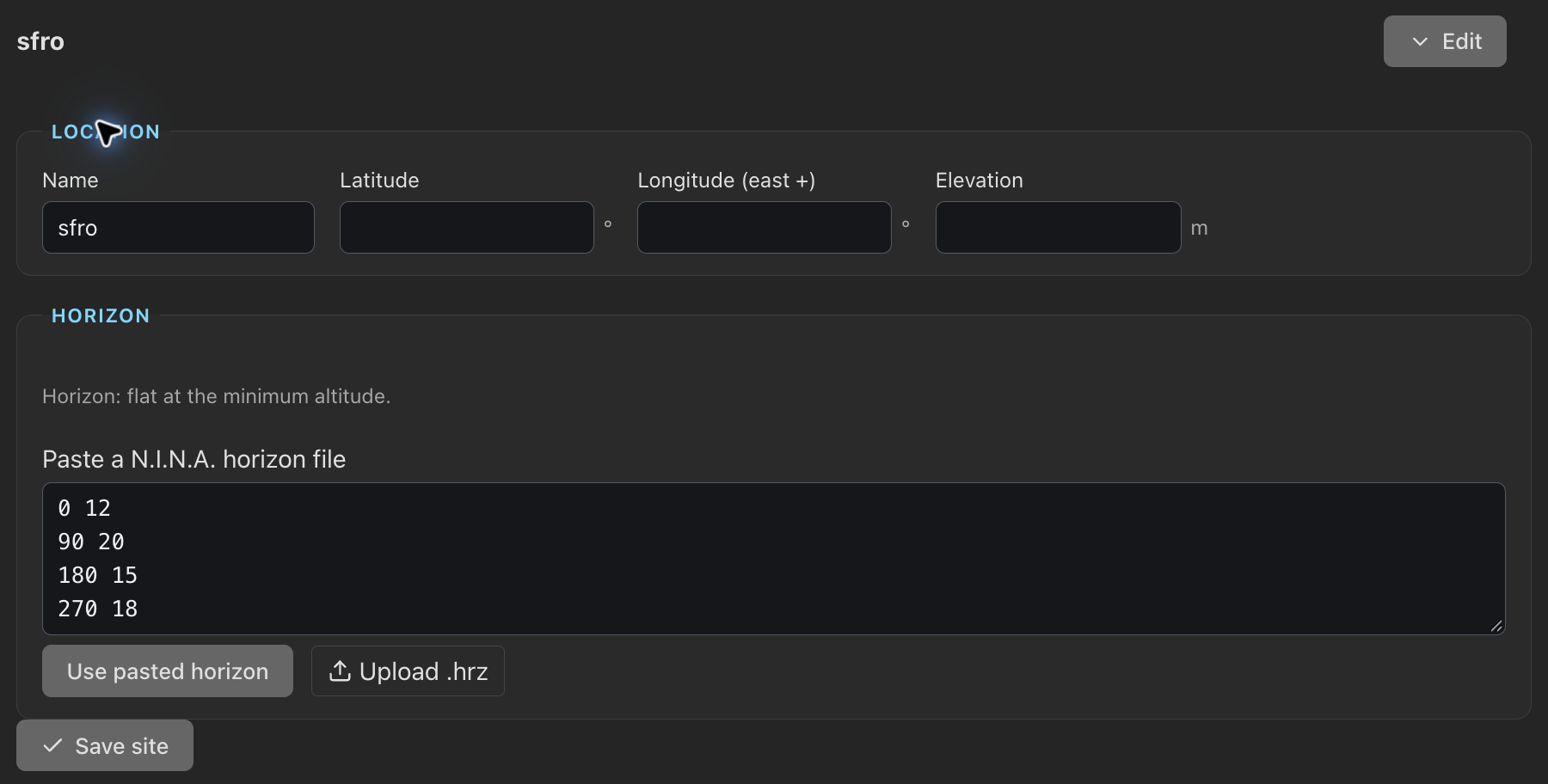
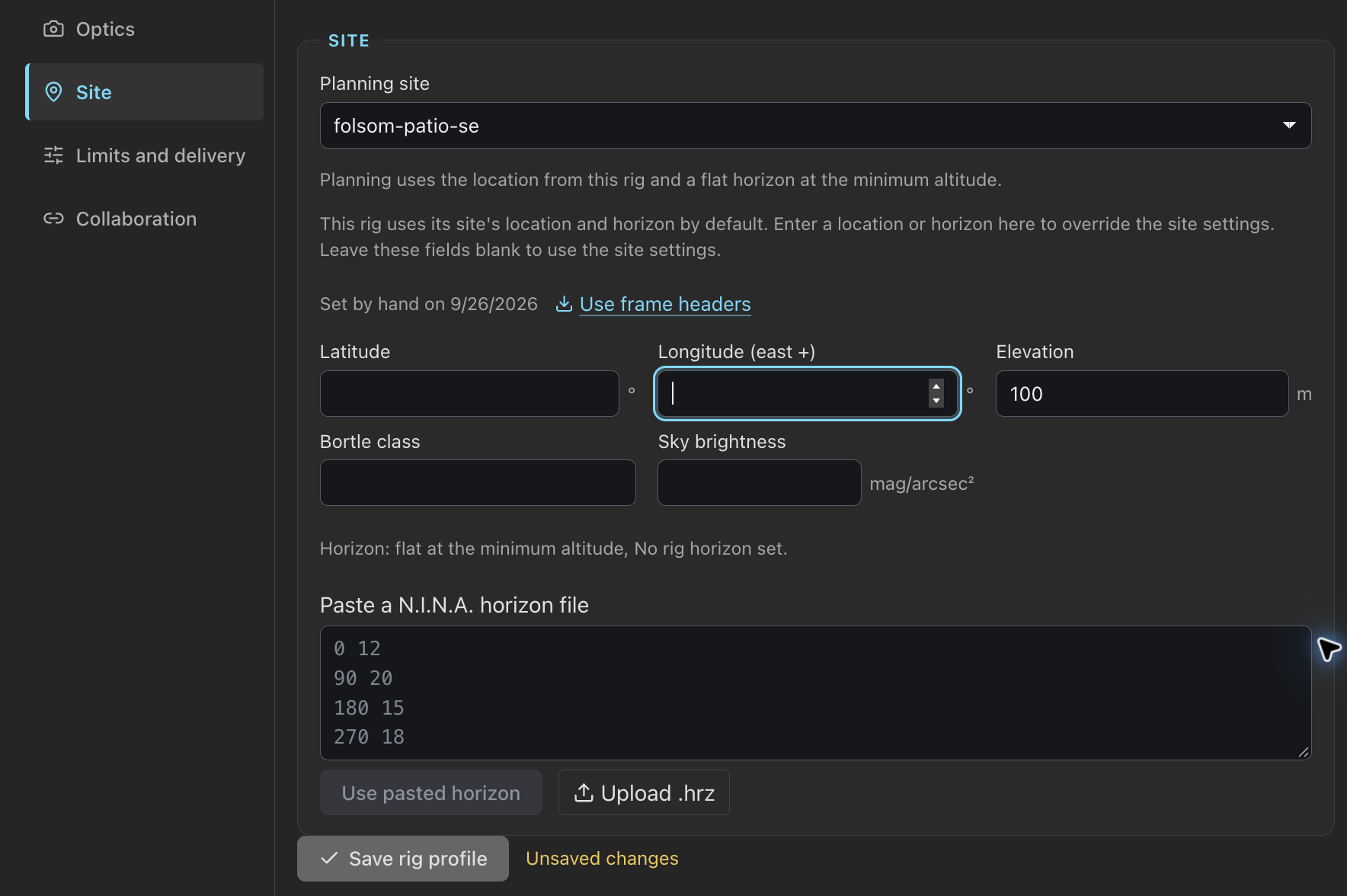
A site defines a location (latitude, east-positive longitude, elevation) and a horizon. Add and edit sites under Settings › Rigs › Sites. Each rig picks its Planning site and takes the site's location and horizon, unless its own fields say otherwise: a location typed into the rig, or a horizon pasted there or reported by the plugin.
A horizon is a N.I.N.A. .hrz file: one azimuth altitude
pair per line in degrees, # for comments. Paste or upload it, and
download it back for N.I.N.A. PSF Guard sorts the points and closes the curve at
north. It refuses a line that is not two numbers, an azimuth outside 0–360, an
altitude outside −90–90, or a repeated azimuth, and identifies the invalid line.
Visibility, feasibility and the program sent to the plugin all use the resolved location and horizon. A rig with neither has no location, and its horizon is flat at its minimum altitude.
Opening another site keeps the edits of the one you left; Save site saves them, with Unsaved changes beside it until then.
Limits and delivery
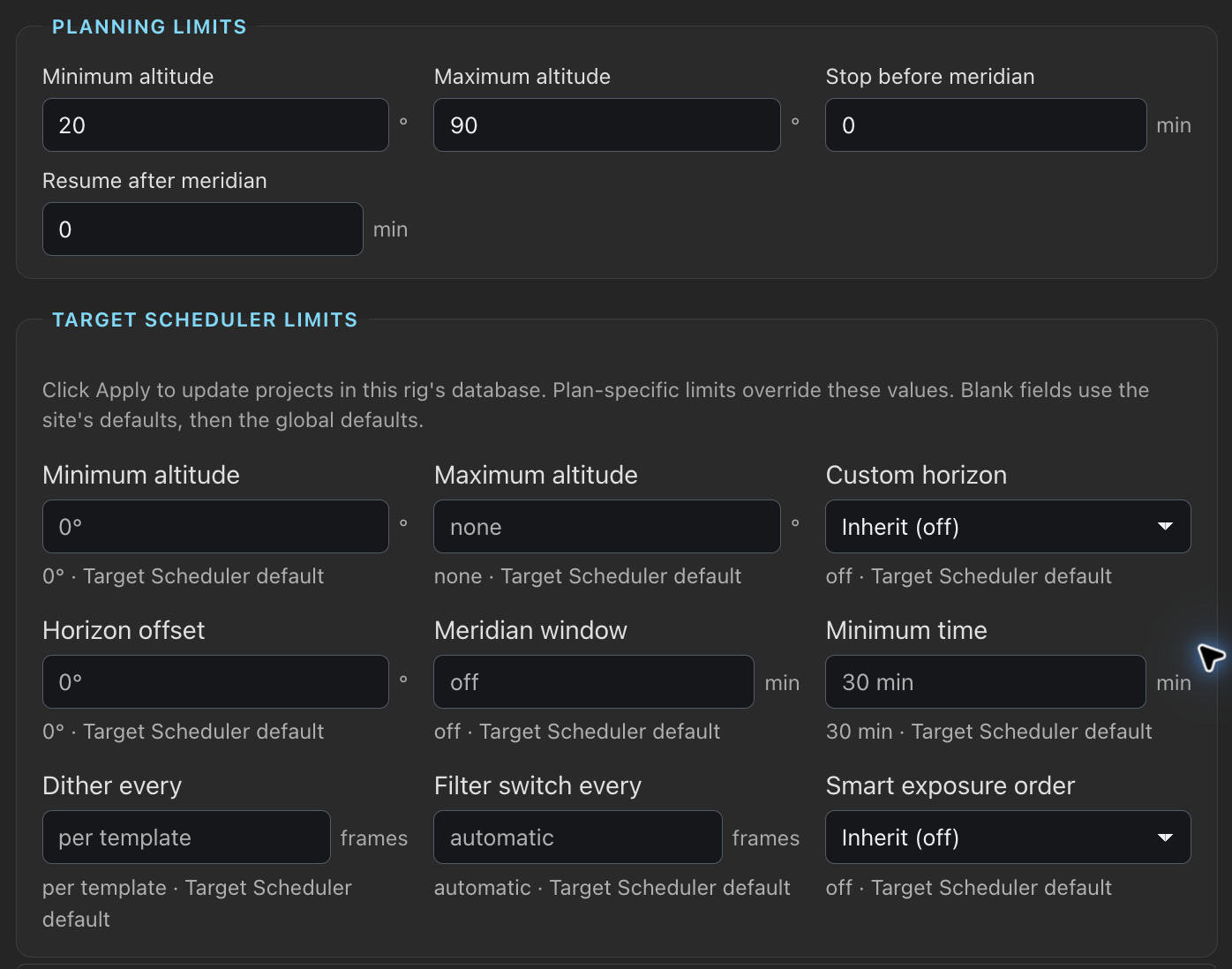
Limits and delivery contains the altitude and meridian limits planning uses, the rig's Target Scheduler scheduling limits, and Remote site.
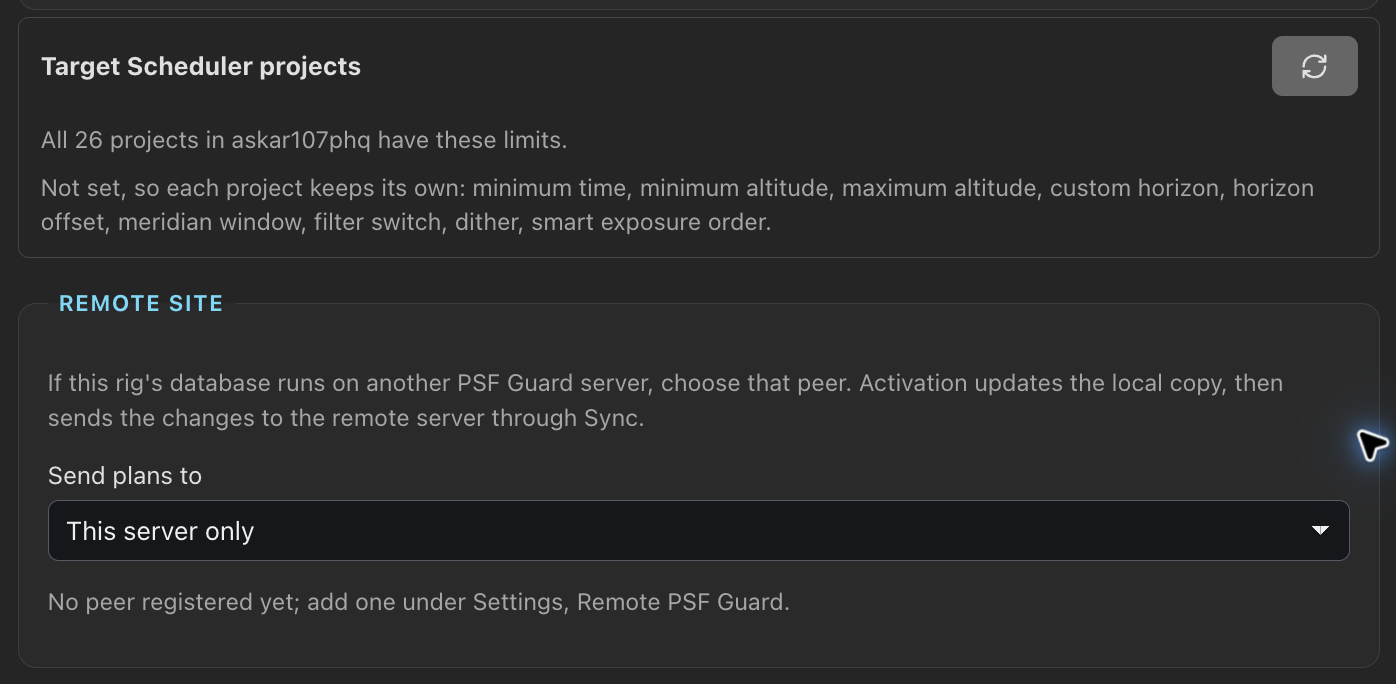
The rig's Target Scheduler limits also reach projects outside a saved plan, such as ones made in N.I.N.A. Below the fields, Target Scheduler projects compares the saved limits with every project in the rig's database and lists each one that differs, with what will change. Save the rig profile first; Apply to N projects then writes them, and sends the rows to the rig's remote site when it has one. A plan's own limits still win for its project. Apply is refused when a project or the limits changed since the list was read. Nothing applies by itself; a project made later waits for the next Apply.
Remote site
When the rig runs on another PSF Guard, set Plans push to, under Remote site, to the Sync peer that holds the rig's real database. Activation then pushes the plan to that peer. Leave it at This server only when N.I.N.A. writes this server's database. See Rigs at another site.
When a site misses an activation
A remote site can miss an activation: it was offline at Activate, the push failed, or it has not run yet. The plan then reads Needs activating even when the rows here match it, and says why, here for a site named observatory-pi:
- the summary's tooltip and the bar at the top: "observatory-pi hasn't received this activation";
- the rig's line on the Rigs tab: behind · not sent to observatory-pi.
The bar and the activation dialog offer Send to observatory-pi again (without "again" before a first try). The dialog lists each such rig with the error and when it was tried. Neither shows the button once every site has the activation.
The server also sends it on its own once the site answers: a successful Test connection under Settings › Sync, a sync with that peer other than a pull that writes, or another push that reaches it. It sends only the latest activation of each plan, never one the site already applied. A pull that writes does not send, since the site's rows may have replaced the ones here; the plan may then ask to be activated again first. The server log records what it sent and what failed.
Live
Rigs that run the Director plugin report what they
do. The header's
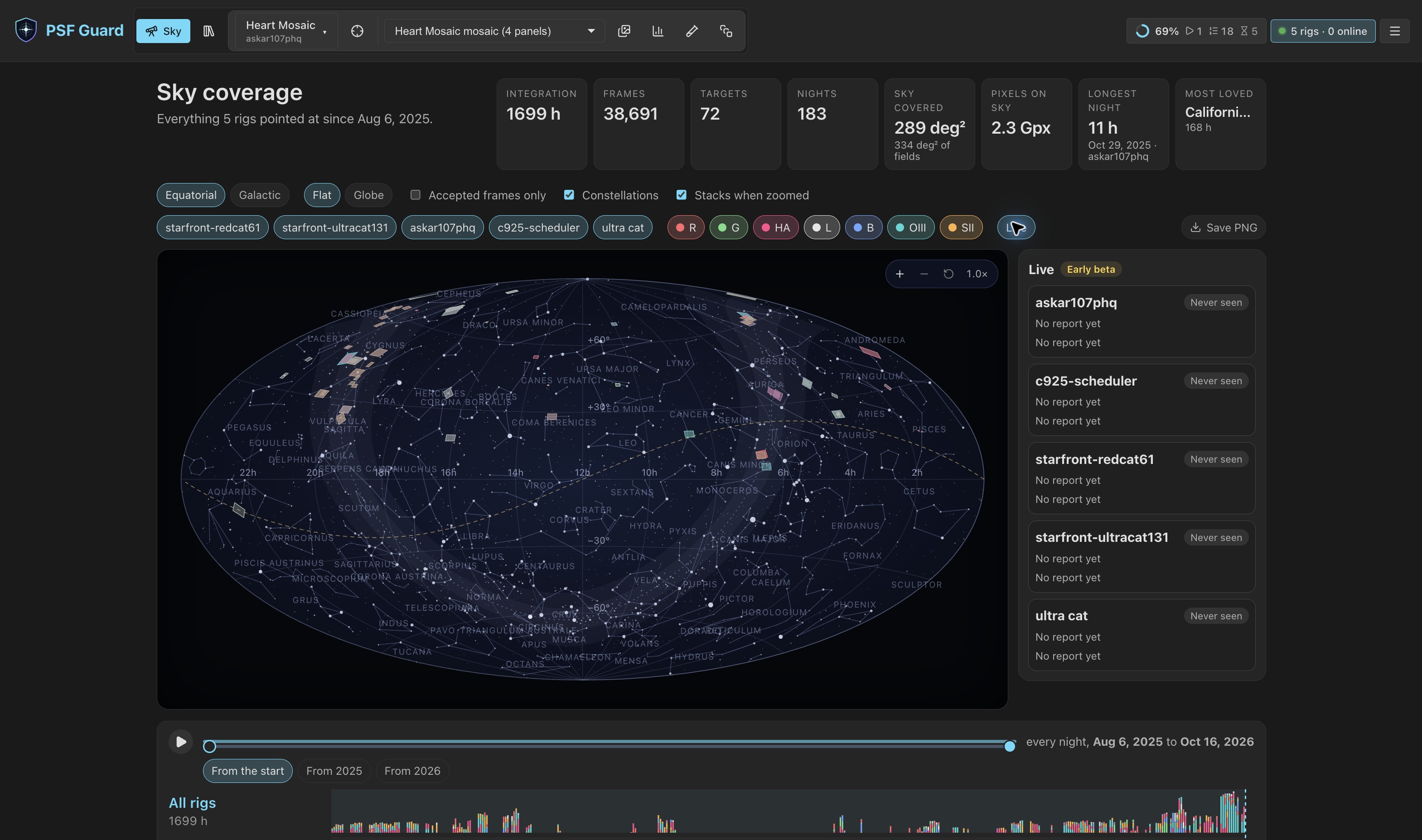
Live chip counts them: 2 rigs · 1 exposing, or
2 rigs · 1 online when none is exposing. It turns red when a rig
that used to talk goes quiet, and opens Live on the Sky from any
view.
On the Sky, each reporting rig is drawn on the coverage map where it points now. A list of rigs sits beside the map; choosing one turns the map to it. A quiet rig is drawn dashed red. A rig that reports no mount position is placed at its planned target, dotted and labeled at target.
The Live table under the map has one row per rig:
| Column | Shows |
|---|---|
| Link | Online within three minutes of any plugin call, Quiet within thirty, Offline beyond, Never seen before the first. |
| Doing | Phase, target, current operation and how long, wait reason, safety, queue depth and errors, from the last status report. A report older than its stated lifetime is marked stale. |
| Contact | How long since the rig pulled its program, checked in, and reported status. |
| Frames | Saved frames grading has not accepted yet. |
| Plans | Activated plans the rig is assigned to, each a link to its workspace. |
The table refreshes every fifteen seconds. A read-only account cannot open Settings, so Live on the Sky shows rig setup and the template library read only under the table.
Early beta: the upcoming Director plugin
A paired Director plugin pulls its rig's program from the last activation over HTTP, keeps running on it through a network outage, checks in each saved frame, and reports live status. Saved frames count as pending credit until grading accepts them; a receipt is evidence a frame was taken, not that it passed. Pairing uses one-use codes an operator issues over the API; there is no pairing screen yet. Pairing does not start a sequence or grant equipment control. The Director plugin is separate from PSF Guard Sync, which transfers database changes and image files.
Without the plugin, activation still writes ordinary Target Scheduler rows, and the Target Scheduler plugin runs them as before.